
Shopping centres
Watch busy shopping areas while looking for a visible weapon that could put visitors and staff at risk.
Watch busy shop floors and public areas while looking for a visible weapon among the people in them, so your security team learns of a possible threat and can act before it goes further
What is watched
Interface simulation: an illustration of the workflow, not a live analysis
What it is
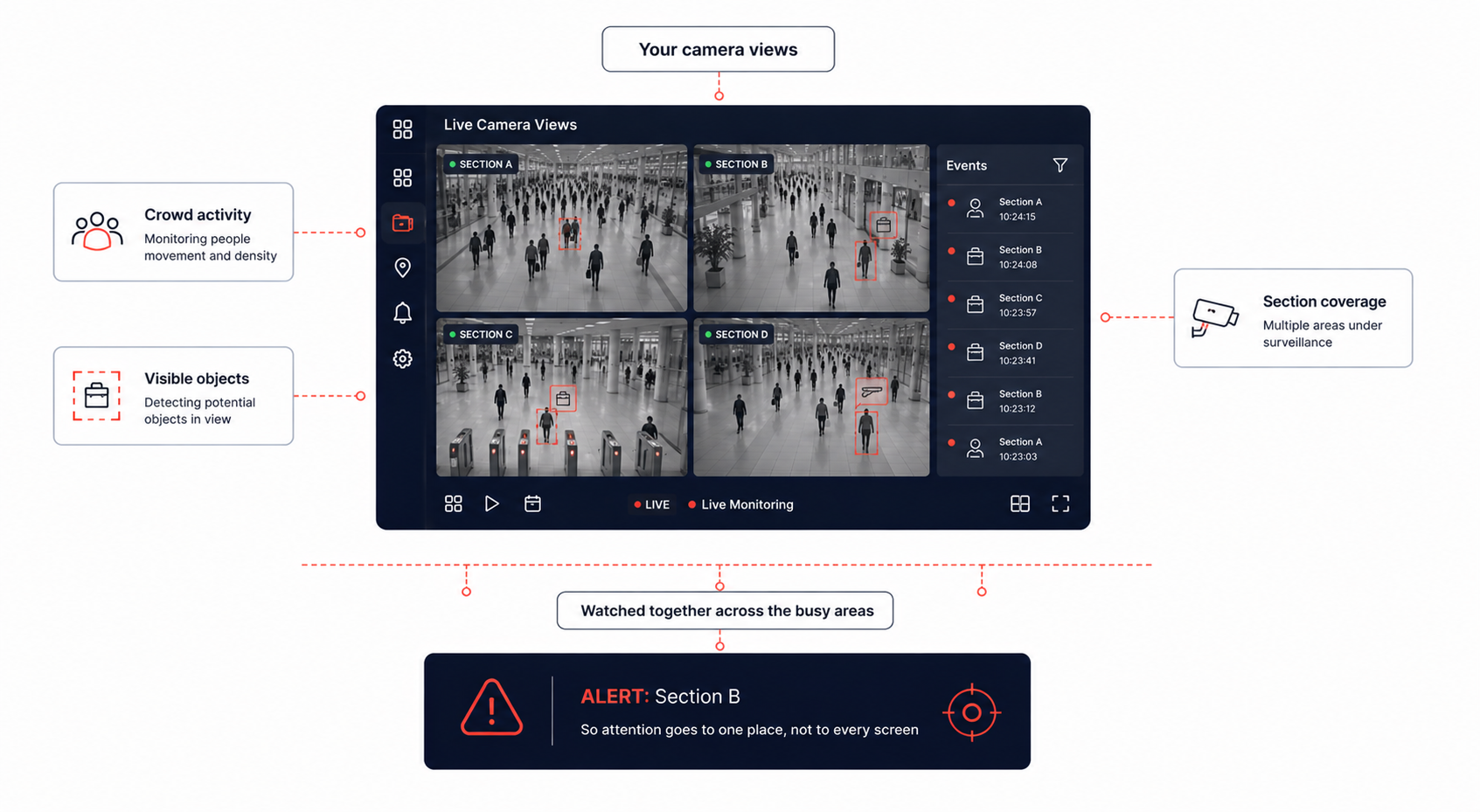
WeaponGuard AI helps shops, shopping centres and other public places watch their busiest areas while looking for a visible weapon among the people there. It can identify a potential weapon even when the area is full, which helps a security team learn of a threat quickly and act before the situation goes further.
It brings crowd awareness and threat spotting together on the same CCTV coverage, so staff are not relying on watching several screens at once and hoping to catch it.
A potential weapon is looked for inside the crowd itself, because a crowd is exactly what makes one hard to notice by eye.
Weapons looked for
A visible weapon looked for inside busy areas full of people
Crowds kept in view
People in the watched areas tracked while threats are looked for
Fast alerts
An alert that sends staff to the area that needs them
Cover the whole premises
Entrances, checkouts, corridors and other busy sections
How it works
One CCTV camera or several cover the busiest parts of a shop, centre or site.
People in the watched areas are tracked, so how busy things are stays visible.
Visible objects that may be weapons are looked for among the people present.
A potential weapon raises an alert naming the area where it was identified.
The alert points staff at a single area rather than at every screen at once.
Interface simulation: an illustration of the workflow, not a live analysis
One CCTV camera or several cover the busiest parts of a shop, centre or site.
People in the watched areas are tracked, so how busy things are stays visible.
Visible objects that may be weapons are looked for among the people present.
A potential weapon raises an alert naming the area where it was identified.
The alert points staff at a single area rather than at every screen at once.
Product exclusiveness
A weapon found inside a crowd
Interface simulation: an illustration of the workflow, not a live analysis
Market comparison
Watch busy areas
Look for a visible weapon
Spot a weapon inside a crowd
Cover several cameras
Raise an alert for a possible weapon
Keep track of how busy it is
Watching without a break
Point staff at the right area
Crowd and safety on one view
The architecture
Crowd, then objects
The alert points personnel at one area rather than at every screen at once.
Use cases by sector
Watch busy shopping areas while looking for a visible weapon that could put visitors and staff at risk.
Help security teams watch customers and crowded sections while a possible weapon is looked for.
Watch large customer areas where the number of people makes it hard for staff to notice every possible threat.
Watch crowded areas in cinemas, gaming centres and similar places for a possible weapon.
Help security teams watch large crowds while looking for a visible weapon among them.
Support teams watching crowded entrances, waiting areas and other high traffic places.
Watch public facing areas and busy entrances, with an alert when a possible weapon is identified.
Deployment strategy
01 · Connect the cameras
Interface simulation: an illustration of the workflow, not a live analysis
WeaponGuard AI works with a single CCTV camera or with several covering different parts of a shop, shopping centre or other public facing place.
Staying aware of the crowd, pointing attention at the right place, and covering the whole premises rather than one camera of it
Yes. It looks for a visible weapon inside busy areas full of people, which is exactly where a threat is otherwise hardest to notice.
An alert is raised so security staff can put their attention on the area straight away. Staff then review that area and act according to the organisation's own safety procedures.
Yes. How busy an area is and whether it holds a possible threat are watched together on the same CCTV coverage, which gives a fuller picture of what is happening.
One or many. Several CCTV cameras can cover different parts of a shop or site, including entrances, checkouts, corridors and food courts, so larger spaces are covered rather than one camera's view.
Shopping centres, shops and other crowded public places, where the number of people is what makes watching by eye so difficult.
No. It raises an alert that points staff at the area where the concern was identified. Reviewing that area and deciding what to do stays with your security team, following your own safety procedures.
The rest of the line
Where it runs
Each sector page covers the threat model, the controls, and the regulators that apply.
Bring your own footage. We will run it through the Adaptive Cognito Engine and walk you through the findings.