
Banking & finance
Confirm participants before authorising high-value transactions on a call.
How the sector deploys itKnow in real time that the people on screen are genuine, not deepfakes, cloned voices or impostors. It joins your video meetings as a silent participant, watches the video and audio as the meeting happens, and produces a tamper-evident record of what it found, without anyone installing software
What is assessed
Interface simulation: an illustration of the workflow, not a live analysis
DeepMeetGuard
Follow the evidence through a meeting
What it is
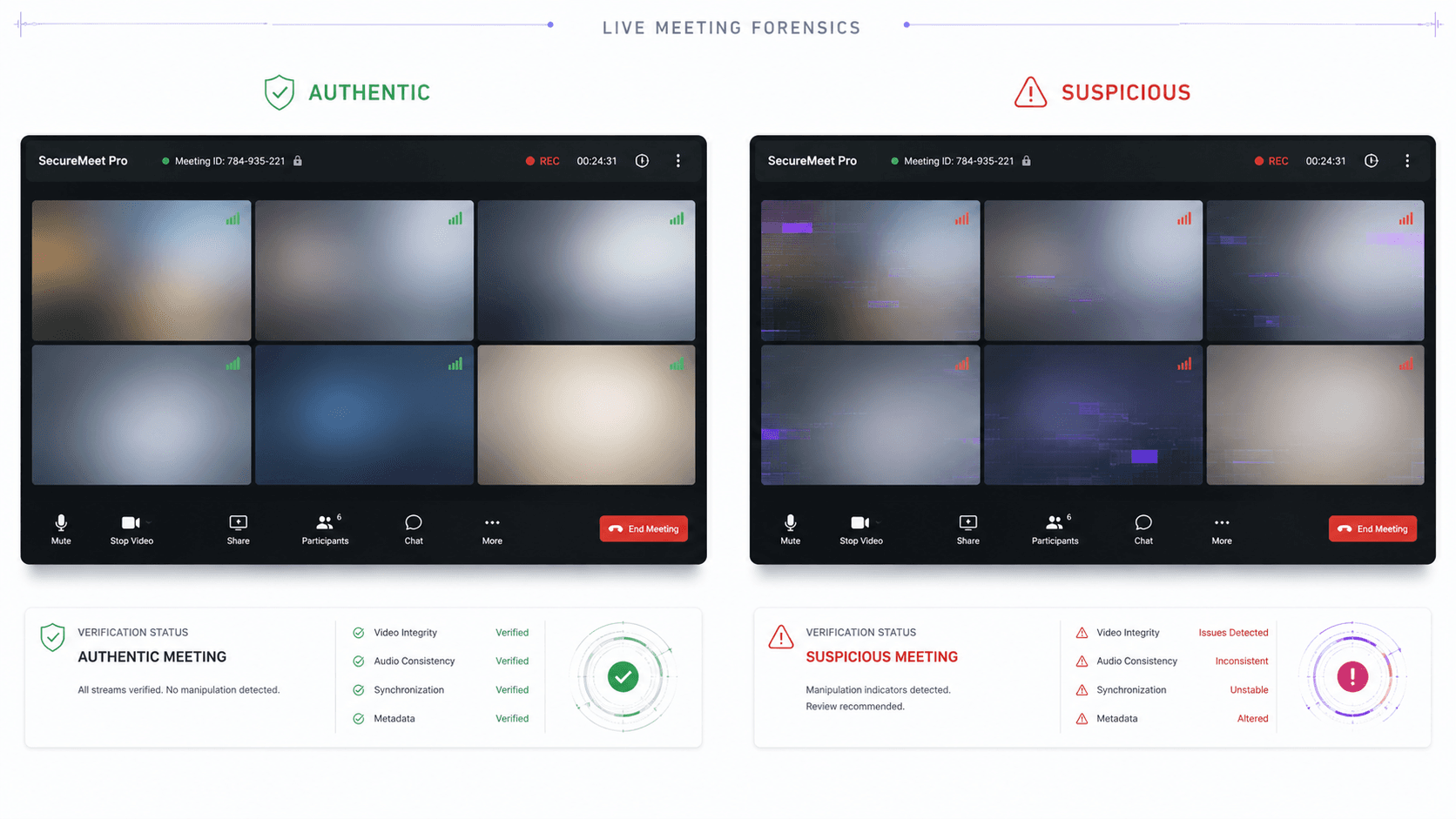
Protect important online meetings from deepfakes, cloned voices and digital impersonation while the conversation is happening.
DeepMeetGuard joins the meeting as an independent participant and helps verify the authenticity of the people you see and hear. There is nothing for attendees to install, making it suitable for employees, customers, partners and external guests.
Get live visibility during the conference call, and protection is added to a meeting without touching a single attendee's device.
Meeting platforms
Teams, Google Meet and more
Sub-second
Latency goal, so findings keep pace with the call
Zero
Installs on any attendee's device, guests included
Per participant
Aggregate risk level in the tamper-evident PDF
How it works
Teams, Zoom, WebEx or LiveKit call
An independent participant, nothing for attendees to install
Examined for signs of deepfakes and synthetic speech
Authenticity findings while the meeting is active
Tamper evident report with participant level findings
Interface simulation: an illustration of the workflow, not a live analysis
Teams, Zoom, WebEx or LiveKit call
An independent participant, nothing for attendees to install
Examined for signs of deepfakes and synthetic speech
Authenticity findings while the meeting is active
Tamper evident report with participant level findings
Product exclusiveness
Live deepfake video verification
Interface simulation: an illustration of the workflow, not a live analysis
How it compares
Deepfake video checks during meetings
Voice clone and synthetic speech checks
Coverage for external participants
Live authenticity visibility
Video and voice assessment
Meeting audit record
Multi platform support
The architecture
One boundary, and nothing crosses it
In the meeting
Joins as an independent participant
Nothing crosses it. DeepMeetGuard is a participant, not software on anyone’s device, so external guests are covered too.
Outside the call
Checked for signs of deepfakes and synthetic speech
Use cases by sector
Confirm participants before authorising high-value transactions on a call.
How the sector deploys itAssure the integrity of sensitive briefings and remote sign-offs.
How the sector deploys itVerify that the person in a consultation is the genuine patient or clinician.
How the sector deploys itGuard board and investor meetings against synthetic-identity fraud.
Deployment strategy
01 · Invite DeepMeetGuard
Interface simulation: an illustration of the workflow, not a live analysis
Under the hood
DeepMeetGuard is designed to add authenticity verification to important virtual meetings while keeping deployment simple for organisations and participants.
No. DeepMeetGuard joins the meeting independently, so employees, customers, partners and other attendees do not need to install additional software on their devices. Simply add DeepMeetGuard to the meeting you want to protect.
DeepMeetGuard examines available video and voice information for signs that may be associated with deepfake manipulation, synthetic identities, voice cloning, artificially generated speech or other forms of digital impersonation. The results are presented in a clear form so meeting hosts can understand when additional verification may be appropriate.
DeepMeetGuard supports Microsoft Teams, Zoom, WebEx and LiveKit. This allows organisations to apply a consistent meeting authenticity approach across multiple conferencing environments.
During the meeting, the host can view relevant authenticity findings through a secure live experience. After the meeting, DeepMeetGuard generates a tamper evident report containing important session information, timestamps and participant level findings for later review.
DeepMeetGuard is designed for meetings where participant identity and authenticity matter. Common use cases include banking and financial approvals, legal proceedings, government briefings, telemedicine consultations, recruitment interviews, executive approvals, board meetings and investor discussions.
The rest of the line
Where it runs
Each sector page covers the threat model, the controls, and the regulators that apply.
Book a walkthrough and we will show the bot joining a meeting, the host dashboard as it runs, and the report it leaves behind.